
A website redesign can cost anywhere from $2,000 for a basic visual refresh to over $50,000 for a complex, strategic overhaul. The final price tag depends entirely on what you need, much like a home renovation. A fresh coat of paint costs a lot less than knocking down walls and pouring a new foundation, right?
Your investment is directly tied to the choices you make—custom design, e-commerce features, and deep SEO work all play a role. The key benefit of a redesign is not just a new look, but a tangible improvement in business metrics like lead generation, sales, and user engagement. It’s an investment in a powerful business tool, not just a cosmetic expense.
How Much Does a Website Redesign Really Cost
Trying to pin down an exact cost for a website redesign without knowing your goals is like asking a mechanic the price of a car repair without telling them what’s wrong. It’s a spectrum, not a fixed number.
A simple project might just involve updating your branding and tweaking a few layouts on your current platform. On the other end, a comprehensive overhaul could mean rebuilding from scratch with new features, custom code, and a complete content strategy. This is where the real work—and value—comes in.
This distinction is critical. A redesign should be framed as an investment tied to specific business outcomes, not just another expense on a spreadsheet. Are you trying to boost lead generation by 30%? Or maybe launch an online store to open up a new revenue stream? Each goal requires a different level of effort, which ultimately sets the price. The practical implication is that a higher investment in strategy upfront often leads to a significantly higher return on investment (ROI) post-launch.
To give you a clearer picture, here’s a quick breakdown of what you can generally expect at different budget levels.
Quick Guide to Estimated Website Redesign Costs
| Redesign Tier | Typical Cost Range (USD) | Best For |
|---|---|---|
| Basic (Visual Refresh) | $2,000 – $6,000 | Small businesses needing a modern look on a tight budget, using existing templates with branding updates. |
| Mid-Tier (Strategic Redesign) | $6,000 – $20,000 | Growing businesses that need improved user experience (UX), custom design elements, and better lead generation. |
| Advanced (Full Overhaul) | $20,000 – $50,000 | Established businesses aiming for a competitive edge with custom functionality, deep SEO, and CRM integrations. |
| Enterprise-Level (Complex) | $50,000 – $80,000+ | Large-scale operations requiring complex e-commerce, custom software development, and extensive third-party integrations. |
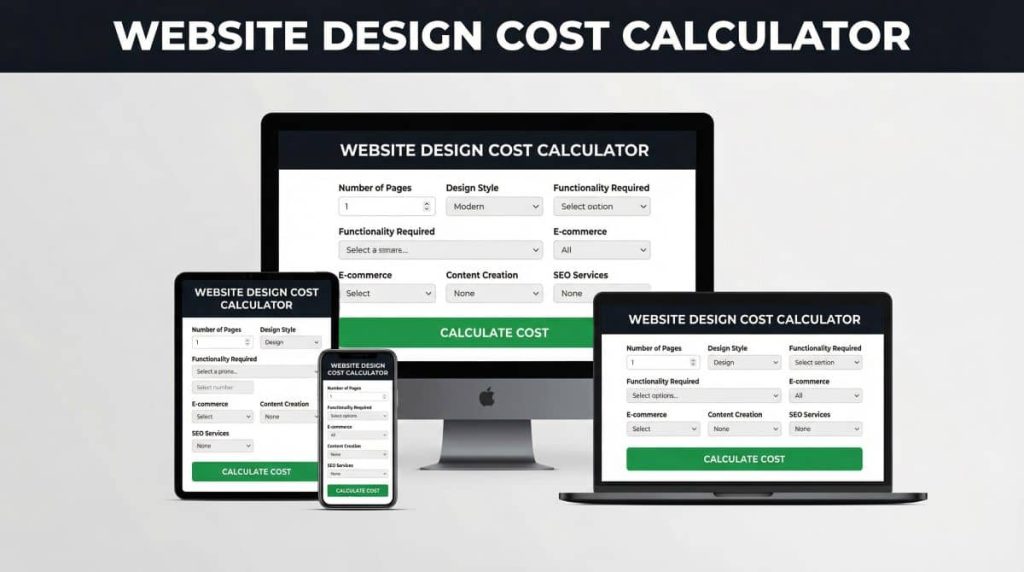
This table provides an actionable starting point for budgeting, but remember, these are just estimates. The real cost will depend on the specifics of your project. Click here to try our free website design cost calculator.
Breaking Down the Cost Tiers
To make sense of those numbers, it helps to group redesigns into tiers. A basic redesign often uses a pre-existing template with cosmetic changes. It’s a fast and affordable way to get a simple online refresh, perfect for small businesses that need a modern look without a ton of bells and whistles. The primary benefit is improved aesthetics and brand consistency.
A smart redesign is an achievable investment, not an impossible expense. The key is aligning your budget with clear business objectives to ensure every dollar you spend contributes directly to your growth.
For businesses chasing more significant results, mid-tier and advanced redesigns are where the magic happens. These projects involve much deeper strategic work, like user experience (UX) research, completely custom design, and integrations with other business software like your CRM or marketing automation tools. The key difference is a shift from “looking better” to “performing better,” with benefits like higher conversion rates and streamlined operations.
What to Expect at Different Price Points
The average cost to redesign a website can swing pretty dramatically. As a general rule, simple redesigns focusing on UI updates for 5-20 pages typically fall between $2,000 and $6,000. This makes a professional refresh accessible for most small operations.
However, the price climbs as you add complexity. Projects can easily reach $50,000 or more when they involve custom development, extensive API integrations, and major content migrations. You can learn more about how project scope impacts pricing from various industry reports.
Ultimately, the best way to get a handle on your potential website redesign cost is to clearly define your project’s scope and goals before you start talking to agencies. This actionable insight allows you to compare quotes accurately and invest in a solution that will actually deliver a tangible return.
The Hidden Factors Driving Your Redesign Budget

So, you’ve got two quotes for your website redesign. One is for $5,000, and the other is for $25,000. It’s tempting to think one is a steal and the other is a total ripoff, but the truth is usually a lot more interesting. That price gap isn’t random; it points to a huge difference in the scope, strategy, and long-term value you’re actually buying.
Getting a handle on these underlying cost drivers is the key to making a smart investment. Think of it as the itemized receipt for your project. A higher price tag often includes the critical stuff that actually delivers a return, while a bargain price might be skipping it entirely. The implication is that the cheaper option could cost more in the long run through lost opportunities and future fixes.
Let’s break down the real factors that shape your final website redesign cost.
Strategic UX and UI Design
This is almost always the biggest difference between a cheap facelift and a strategic, money-making redesign. Sure, the look and feel of your site (User Interface or UI) matters. But how it works for your visitors—the User Experience (UX)—is what actually drives results.
- Low-Cost Approach (Theme Customization): This is where someone takes a pre-built template and just swaps out the colors, fonts, and logo. It’s quick and cheap, but it shoves your business goals into a rigid, one-size-fits-all box.
- High-Value Approach (Bespoke UX/UI): This starts with real research. A good team will analyze user behavior, map out customer journeys, and create wireframes designed to guide visitors toward a specific goal, like filling out a form or making a purchase. It costs more because it involves strategists and designers building a solution from the ground up, tailored specifically to your audience. The benefit is a site that doesn’t just look pretty—it actively converts visitors into customers.
A website built on user research is an asset that works for you 24/7. It anticipates user needs and removes friction, turning your online presence into a reliable lead-generation machine.
Custom Development and Functionality
The complexity of what you need your website to do is a massive cost driver. A simple five-page informational site with a contact form is a completely different beast than an e-commerce platform with custom product filters and inventory management.
Imagine a practical example: a local bakery. A simple redesign might just list their menu and location. A more complex build could include an online ordering system, a custom cake price calculator, and an integration with a delivery app. Each of those features requires specialized development, testing, and maintenance, all of which directly affect the budget. The benefit of the custom features is a new, automated revenue stream and a superior customer experience.
For more ideas on which features pack the biggest punch, check out our guide on website design tips for small business to help you prioritize what truly matters.
Content Migration and Creation
Your website is an empty shell without its content. The process of moving your existing text, images, and blog posts—or creating entirely new material—is a huge and often underestimated part of any redesign.
- Content Migration: Moving hundreds of blog posts from an old site while preserving all their SEO value is a meticulous job. It involves creating 301 redirects to avoid broken links and a drop in rankings, a task that can easily add days or even weeks to a project. The implication of skipping this is a potential nosedive in your search rankings post-launch.
- Content Creation: If you need new copywriting, professional photography, or video production, those services will show up as line items on your quote. Here’s a pro tip: one of the best ways to reduce your website redesign cost is to have your content ready to go. Providing well-written text and high-quality images is an actionable insight that can save you hundreds, if not thousands, of dollars.
Foundational SEO and Integrations
A beautiful website that nobody can find is a monument to wasted money. Foundational SEO ensures your new site is built from the ground up to rank on search engines. This goes way beyond just stuffing in a few keywords; it covers the technical setup like mobile-first design, fast page speeds, and clean URL structures.
On top of that, integrating your website with the other tools you use to run your business can be a game-changer.
- CRM Integration: A practical example is connecting your website’s contact forms directly to your Customer Relationship Management (CRM) system. This automates lead tracking. The benefit? It saves you from countless hours of manual data entry down the road.
- Marketing Automation: Linking your site to an email marketing platform like Mailchimp or ConvertKit lets you automatically add new subscribers to your email sequences.
While these integrations add to the upfront cost, their benefit is the creation of automated systems that save you a ton of time and make you money in the long run. By understanding these “hidden” factors, you can have much smarter conversations with agencies and put your budget where it will actually make a difference for your business.
Choosing Your Partner: Agency vs. Freelancer Pricing
One of the biggest levers on your website redesign cost is who you hire to do the work. Do you bring on a solo freelancer, or do you partner with a full-service agency? This isn’t just about the final number on the invoice; it’s a strategic decision that shapes the entire project, from the timeline to the long-term health of your site.
A practical analogy helps clarify the difference. A freelancer is like a highly skilled, specialized craftsman—say, a master carpenter. They are absolutely perfect for a specific, well-defined job. An agency, on the other hand, is your general contractor. They manage the whole show, bringing in all the specialists needed and ensuring everything works together.
Both are incredibly valuable, but they solve different kinds of problems with different implications for your time and budget.
Understanding Agency Pricing and Value
Agencies almost always work on a fixed-project fee. They’ll look at the entire scope of your redesign—strategy, user experience (UX) research, design, coding, content, and launch—and give you a single, all-inclusive price. For a business owner who needs budget certainty, this predictability is a massive benefit.
Sure, the upfront cost is higher, but you’re not just hiring a designer. You’re getting an entire team, which typically includes:
- A Project Manager: Your single point of contact who keeps the project on track, on time, and on budget.
- Strategists and UX Designers: The experts who do the research to ensure the site is built to convert visitors into customers.
- Developers and SEO Specialists: The technical crew who builds the site and integrates search engine optimization from the start.
The real value of an agency is risk reduction. With a full team, you get built-in backup and a deep bench of expertise. This makes them the go-to choice for more complex projects like e-commerce stores or sites that need custom software integrations.
Exploring Freelancer Pricing Models
Freelancers tend to offer more flexible pricing, which can be a huge advantage for smaller projects with a very clear, limited scope. The most common approach is an hourly rate, though many will offer a fixed price for a specific, well-defined task.
Working directly with a freelancer means direct communication, which can be super efficient. The key difference and implication? You often become the project manager. If you need a designer, a developer, and an SEO specialist, you’re the one hiring and coordinating all three.
This approach can definitely lower the initial website redesign cost, but it demands more of your own time and comes with a different set of risks. If your freelancer gets sick or hits a technical wall they can’t solve, your project can grind to a halt. For a deeper dive into how project needs affect pricing, our guide on small business website cost is a great resource.
Making the Right Choice for Your Business
So, which way should you go? It really comes down to three things: the complexity of your project, your budget, and how much time you can personally sink into managing the process.
Here’s a head-to-head comparison to make it clearer:
| Factor | Digital Agency | Freelancer |
|---|---|---|
| Pricing Model | Almost always a fixed-project fee | Often an hourly rate; sometimes fixed-price for tasks |
| Best For | Complex projects, e-commerce, custom integrations | Simple websites, specific tasks, well-defined scopes |
| Team Structure | A full, managed team (PM, designer, developer, SEO) | An individual specialist (or several you coordinate) |
| Your Role | Strategic partner, focused on giving feedback | Project manager, coordinating tasks and people |
| Cost | Higher upfront investment ($10,000 – $50,000+) | Lower initial cost ($3,000 – $15,000+) |
| Support | Ongoing retainers and dedicated support available | Varies widely; can be limited after launch |
At the end of the day, an actionable insight is to look at proposals through the lens of value, not just the price tag. An agency’s higher fixed cost might buy you the peace of mind and comprehensive skill set a high-stakes project demands. On the flip side, a great freelancer’s agility and lower rate could be the perfect, cost-effective fit for a more straightforward redesign.
Real-World Budgets for Small Business Websites
Abstract numbers are a good start, but nothing brings the real cost of a website redesign into focus like concrete, practical examples. To make sense of all this, let’s walk through three common, real-world scenarios. We’ll look at different types of small businesses, their specific goals, the scope of the project, and a realistic budget breakdown for each.
These scenarios are probably going to feel pretty familiar. Whether you’re a local service business that needs more qualified leads, a boutique shop ready to sell online, or a nonprofit trying to boost donations, you’ll see how different needs directly shape the final price tag. By seeing where the money actually goes, you can start to map out your own project and build a much more accurate budget.
Sample Redesign Budget Breakdown Local Service Business
To give you a clearer picture of where the money goes, here’s a sample budget for a typical small service-based business—like the plumbing company we just discussed. Their goal is to get a professional, lead-generating website that works for them 24/7.
| Service Component | Estimated Cost (USD) | Description & Benefit |
|---|---|---|
| Strategy & Discovery | $1,500 – $3,000 | The foundational work: defining goals, analyzing competitors, and creating a site map. This is the blueprint for success and ensures the investment is targeted. |
| UI/UX Design | $2,500 – $5,000 | Creating the visual look and wireframes. This ensures the site is not just pretty but also intuitive, which directly benefits conversion rates. |
| Development & Build | $4,000 – $8,000 | The actual coding of the website on a platform like WordPress. The benefit is a fast, secure, and mobile-responsive final product. |
| Content & SEO | $2,000 – $4,500 | Writing new, search-engine-optimized copy and implementing on-page SEO. The clear benefit is attracting more organic traffic from Google. |
| Project Management | $1,000 – $2,500 | The essential coordination that keeps the project on track and on budget. This benefits you by saving your time and preventing costly delays. |
| Total Estimated Cost | $11,000 – $23,000 | This range reflects the difference between a more straightforward build and one with more custom features or deeper strategic work. |
This breakdown shows that a professional website isn’t just a single line item. It’s a combination of strategic, creative, and technical services all working together to achieve a business goal.
Scenario 1 The Local Service Business
Picture a practical example: a local plumbing company. Their current website is ancient, looks terrible on a phone, and is completely invisible on Google. Their main goal is simple but critical: generate more high-quality leads from people in their service area. They don’t need a massive, flashy site—they need a professional, trustworthy online hub that turns visitors into paying customers.
For a business like this, the project is all about clear communication, dominating local search results, and making it incredibly easy for a potential customer to get in touch.
Project Scope & Goals:
- Goal: Increase qualified leads by 40% within six months.
- Design: A clean, professional, and mobile-first design that immediately builds trust.
- Pages: Around 10-15 pages, including pages for each core service (e.g., “Drain Cleaning,” “Water Heater Repair”), an “About Us” page, and a contact page that’s impossible to miss.
- Features: A click-to-call button that works on mobile, a simple quote request form, and Google Maps integration showing their service area.
- SEO: Foundational on-page and local SEO to start ranking for key terms like “plumber in [Your City].”
Here’s a great visual that shows the difference between hiring a freelancer for a project like this versus bringing on an agency.
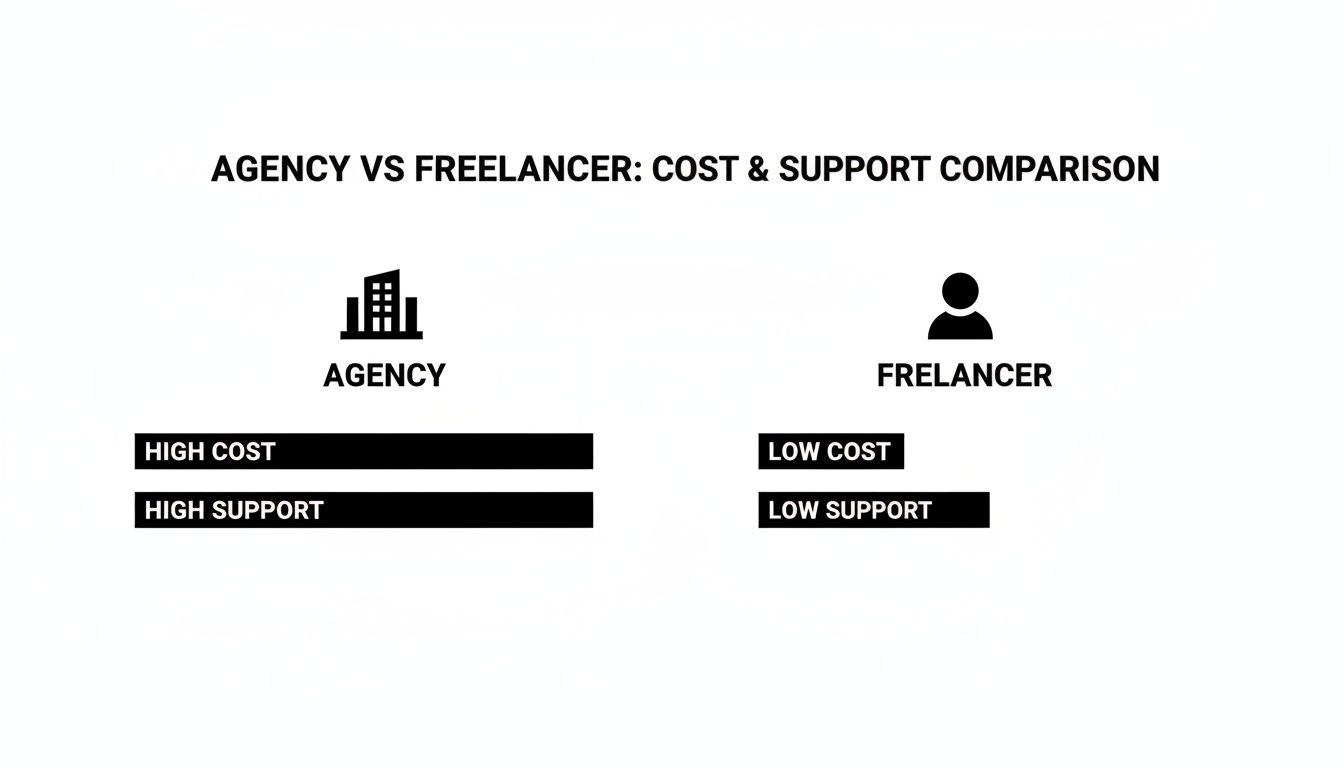
The bottom line? An agency’s higher price tag usually comes with a full team, project management, and a broader strategy. A freelancer is often a more budget-friendly choice for smaller, well-defined tasks.
Scenario 2 The E-Commerce Startup
Now, let’s think about a small boutique that sells handmade jewelry. They’ve built a decent following on social media but are ready to create an online store to reach customers across the country. For them, this redesign isn’t just a marketing website—it’s their primary storefront. The implication is that any downtime or poor user experience directly equals lost sales.
This kind of project is way more complex than the plumber’s site. It has to handle secure payments, manage inventory in real-time, and provide a flawless checkout experience.
A successful e-commerce site is more than just a product catalog; it’s a carefully engineered customer experience. Every element, from product photos to the checkout flow, must be optimized to remove friction and encourage purchases.
Project Scope & Goals:
- Goal: Achieve consistent online sales and create a system to manage orders efficiently.
- Design: A stunning, brand-forward design that showcases the jewelry with high-quality product photography.
- Platform: An e-commerce platform like Shopify or WooCommerce.
- Features: Secure payment gateway integration (like Stripe or PayPal), inventory management, customer accounts, and automated order confirmation emails.
- Budget Range: $15,000 – $35,000. The cost climbs with more advanced features, like a tool that lets customers customize their jewelry or a subscription box option.
Scenario 3 The Growing Nonprofit Organization
Finally, let’s look at a local animal shelter. Their current website is clunky, making it tough for people to donate or see the pets available for adoption. The redesign has to serve two completely different audiences: potential donors and potential adopters. This means it needs to strike a perfect balance between emotional storytelling and practical, easy-to-use functionality.
Nonprofits often have special requirements, like ADA accessibility compliance and smooth donation processing. For instance, many smaller nonprofits might budget $8,000-$15,000 for a basic, compliant site. However, that figure can easily jump to $35,000-$50,000 for larger organizations that need to integrate their site with complex donor management software. As you can see from these numbers, compliance and advanced integrations play a huge role. You can learn more about this in a great guide on nonprofit website budgeting strategies from Fifty & Fifty.
Project Scope & Goals:
- Goal: Increase online donations by 50% and make the pet adoption application process much smoother.
- Design: An engaging, compassionate design that tells the shelter’s story and connects with visitors emotionally.
- Features: An easy-to-use donation form with options for recurring monthly payments, a filterable gallery of adoptable pets, an online volunteer application, and full ADA accessibility compliance.
- Budget Range: $10,000 – $25,000. The investment here is really driven by the need for a rock-solid donation system and the technical work required to make the site accessible to every user.
Budgeting for Life After Launch: Ongoing Website Costs
Launching your redesigned website feels like crossing the finish line, but it’s really just the start of the race. The initial website redesign cost is a capital investment, but your spending doesn’t just stop there. Smart business owners know they need to plan for the recurring expenses that protect that investment and make sure it keeps delivering.
Ignoring these ongoing costs is like buying a new car and forgetting to budget for gas or oil changes. The implication is that your expensive asset will quickly degrade, become insecure, and stop performing. Planning for these post-launch expenses is critical for keeping your new digital asset in peak condition.
The Non-Negotiable Recurring Costs
Think of these as the basic utilities for your website—the absolute must-haves to keep the lights on. They aren’t glamorous, but they are completely non-negotiable if you want a secure and accessible online presence.
- Website Hosting: This is basically the rent you pay for your website’s home on the internet. For most small businesses, a quality shared or managed hosting plan runs between $20 to $200 per month. Its benefit is keeping your site available to visitors 24/7.
- Domain Name Renewal: Your “.com” address has to be renewed every year. It’s a small expense, usually just $15 to $25 per year, but forgetting to pay it can take your entire site offline. An actionable insight is to set it to auto-renew.
- SSL Certificate: This little certificate encrypts data between your site and its visitors, giving them that reassuring padlock icon. It’s essential for security and trust, costing anywhere from $50 to $200 annually. Many hosting plans now bundle this in for free.
Strategic Investments for Growth
Beyond just keeping the site running, these are the investments that turn your website from a static brochure into a dynamic growth engine. These costs are all about improving performance, attracting more traffic, and generating real leads or sales. This is where you get your long-term ROI.
A website launch is not a “set it and forget it” event. The most successful sites are treated like living assets, nurtured with ongoing maintenance, fresh content, and strategic optimization to adapt to changing market demands.
Here are the strategic expenses you should consider:
- Website Maintenance Retainer: This is your insurance policy and tune-up service. A typical retainer of $100 to $500+ per month covers crucial security updates, software patches, and regular backups. This proactive approach benefits you by preventing costly security breaches and downtime.
- Premium Software & Plugin Licenses: Many of the powerful tools that make your site work—from advanced contact forms to e-commerce features—require annual license renewals. These can add up, ranging from $50 to $300+ per year for each premium tool.
- Ongoing SEO & Content Marketing: To ensure your site attracts new customers, you need an ongoing strategy. Services like content creation and technical SEO monitoring can range from $500 to $5,000+ per month. The benefit is sustained growth in traffic and leads long after the launch.
By separating the essential utilities from the strategic growth investments, you can build a realistic post-launch budget that not only protects your redesign investment but also sets your business up for real, sustained success.
How to Get an Accurate Quote for Your Website Redesign
Trying to compare quotes for a website redesign can feel like comparing apples and oranges. One agency might send you a simple one-page estimate, while another delivers a twenty-page proposal. To get clear, comparable quotes that actually match what you need, you have to give every potential partner the same set of detailed instructions.
This all starts with a Request for Proposal (RFP), or what’s more commonly called a project brief. This is the single most actionable step you can take to control costs and ensure a successful outcome. A solid RFP turns you from a passive price-checker into a truly informed buyer.
Building a Clear Project Brief
Your brief doesn’t need to be a novel, but it absolutely has to be specific. A vague request like, “we need a new website,” will only get you vague, impossible-to-compare quotes. Instead, your document needs to lay out exactly what you’re trying to accomplish.
Here’s what to include for an effective brief:
- Company Overview: A quick summary of what your business does, who you serve, and what sets you apart.
- Project Goals: What is the primary business reason for this redesign? Be specific. Instead of “get more leads,” try “increase qualified leads from our contact form by 30% within 6 months.” This provides a clear metric for success.
- Target Audience: Who are you trying to connect with? Paint a picture of your ideal customer.
- Scope of Work: Make a list of the key features you absolutely need (e.g., blog, e-commerce store, CRM integration).
- Inspiration: Provide links to 2-3 websites you love (and explain why). It’s just as helpful to include 1-2 competitor websites to give designers a feel for your industry. This provides invaluable creative direction.
A great project brief sets the stage for a great partnership. It makes sure every agency is bidding on the exact same project, so you can evaluate them on their strategy and value—not just the price tag.
Critical Questions to Ask Potential Partners
Once the proposals start rolling in, your job is to dig deeper. A quote is just a number; you need to understand the process, the people, and the support system behind it. Before you even think about signing a contract, get them on a call and have your questions ready.
Here are the must-ask questions for any potential agency or freelancer:
- Your Process: Can you walk me through your entire redesign process? Who will be my day-to-day contact?
- Your Portfolio: Can you show me 2-3 examples of similar projects? What were the actual results or ROI for those clients? (This focuses on benefits, not just features).
- Your Tech: What platform (like WordPress or Shopify) do you recommend, and why is it the best choice for my business goals?
- Post-Launch Support: What happens after the site is live? Do you offer a warranty period to fix bugs? What do your ongoing maintenance plans look like?
Getting comfortable with the basics of web development for small businesses is what empowers you to ask these smart questions. Your goal isn’t just to hire a vendor to build a thing; it’s to find a true partner who is invested in your business. The right partner will be transparent, strategic, and genuinely focused on your long-term success.
Got Questions About Website Redesign Costs? We’ve Got Answers.
When you’re staring down the barrel of a website redesign, a lot of questions pop up. It’s totally normal. Getting straight answers helps you wrap your head around the timeline, the budget, and what to expect from the whole process.
Let’s tackle some of the most common questions we hear from small business owners just like you.
How Long Does a Typical Redesign Take?
This is the big one, and the honest answer is: it depends. A simple visual refresh, where we’re basically putting a new coat of paint on your existing structure, can often be wrapped up in 6 to 10 weeks. This is a great option if your site’s foundation is solid but the look is feeling a bit dated.
But for a full-blown rebuild—we’re talking new strategy, custom features, and fresh content from the ground up—you should plan for 12 to 16 weeks. If you’re adding complex e-commerce or integrating with multiple systems, that timeline can stretch to 16 to 24 weeks. The scope of the project is always the biggest factor; the more moving parts, the more time it takes to get it right.
Is a Cheap Website Template a Smart Move?
It’s tempting, I get it. A cheap website template looks like a great way to save a few bucks. But in my experience, it almost always costs you more in the long run. These templates are incredibly rigid, forcing you to cram your business goals into a box that was never designed for you. You end up with a generic site that doesn’t really connect with visitors or guide them to take action.
Think of it this way: a cheap template is like a fast-fashion suit. It might look okay from a distance, but it rarely fits well and won’t last. A custom or semi-custom design is tailored to your business, ensuring a perfect fit that delivers results.
The key difference is strategy. A template is a tactic for getting a site online quickly. A custom design is a strategic solution built to achieve specific business goals. The implication of choosing a cheap template is often poor performance, security vulnerabilities due to bloated code, and a negative impact on your SEO. You’ll spend more time and money fixing problems than you ever saved upfront.
What Are the Warning Signs I Need a Redesign?
Not sure if it’s time to pull the trigger? Your website and your business metrics are probably already telling you. Here are some actionable signs that a redesign should be a high priority:
- Your site is a mess on mobile: More than half of all web traffic is on a phone. If your site makes people pinch and zoom, they’re gone.
- Your bounce rate is through the roof: Are people landing on your site and leaving almost immediately? That’s a classic sign of a poor user experience or a confusing message.
- You can’t update your own content: You shouldn’t need to call a developer for every little text change. A modern Content Management System (CMS) should put you in control.
- It just doesn’t feel like “you” anymore: Your business has grown and evolved. If your website is stuck in the past, it’s sending the wrong message to your customers and hurting your brand perception.
Ready to turn your website from a digital brochure into your hardest-working employee? At Small Business Website Design, we build clean, modern, SEO-optimized sites that actually get results. Let’s create a website that works as hard as you do. Get your free consultation today!