
A small business website design can cost you anywhere from a few hundred bucks a year for a DIY setup to $10,000 or more for a professionally built site. The final number really just depends on what you’re trying to achieve, the features you need, and who’s doing the work.
Think of it like buying a vehicle for your business. A simple scooter gets you around town for a low upfront cost. But if you’re making deliveries, you’ll need a custom commercial van, it costs more, but it’s actually equipped to do the job. Your website is no different. The right investment isn’t about finding the cheapest option; it’s about getting the right tool for the job, one that delivers tangible benefits like more leads, higher sales, and stronger brand credibility.
Your Guide to Small Business Website Design Costs

Figuring out a realistic budget for your website is one of the first—and most important—steps you’ll take. If you don’t have a clear financial picture, it’s all too easy to overspend on shiny features you don’t need or, even worse, underspend and end up with a site that can’t actually grow your business. An actionable insight here is to budget not just for the launch, but for the first full year of operation, including maintenance and marketing.
The path you pick—going it alone with a DIY builder, hiring a freelancer, or partnering with an agency—will make the biggest difference in what you invest. Each one strikes a different balance between cost, the time you have to put in, and the quality of the final product. Understanding these differences and their implications is key to making a smart decision.
Understanding the Financial Spectrum
The cost of a website can swing wildly depending on how complex it is. For example, using a DIY website builder like Wix might run you $150 to $800 a year for a simple site, which covers the basics like platform fees and your domain name. The key benefit is speed and low initial cash outlay, but the implication is that you are responsible for design, content, and SEO, which can become a significant time cost.
On the other end of the spectrum, bringing in a professional agency for a custom-built site typically starts with an upfront investment of between $8,000 and $35,000. That price tag covers the deep work: strategy, custom design, and development. You can get more detail on these kinds of 2025 business website pricing tiers at Brandvm.com. The benefit here is expertise and a strategic asset built for growth, but the higher initial cost requires more capital.
Why such a huge gap? Because the word “website” can mean anything from a single, static page to a massive e-commerce store with hundreds of products and custom integrations.
A website’s cost is a direct reflection of its purpose. A simple brochure site for a local consultant has fundamentally different requirements—and a different price tag—than a multi-functional e-commerce platform for a growing retailer.
Estimated Website Cost by Type at a Glance
To give you a clearer picture, it helps to put these costs into categories. A simple, informational “brochre” site will always be the most affordable option. Once you start selling products online, the investment naturally goes up because you need payment gateways, secure customer accounts, and a whole system for managing products.
Here’s a quick table to summarize what you can generally expect to pay for different types of websites, with a focus on key comparisons.
| Website Type | Typical Upfront Cost (Professional) | Annual Recurring Costs (DIY/Pro) | Best For | Key Difference & Implication |
|---|---|---|---|---|
| DIY Website Builder | $0 (your time) | $150 – $800 | Startups, solopreneurs, or anyone on a tight budget needing a basic online presence. | Lowest Cost: You trade money for your own time. The risk is an unprofessional look that may not convert visitors. |
| Basic Brochure Site | $3,000 – $8,000 | $500 – $1,500 | Service-based businesses that need to look professional, build credibility, and generate leads. | Professionalism: Establishes credibility and serves as a lead generation tool. It’s a marketing asset, not just a digital card. |
| Advanced/Custom Site | $8,000 – $20,000+ | $1,500 – $5,000+ | Businesses needing specific features like booking systems, membership portals, or custom calculators. | Automation: Solves specific business problems (e.g., automates booking), saving time and improving customer experience. |
| E-commerce Store | $10,000 – $35,000+ | $2,000 – $10,000+ | Any business selling products directly online, from small boutiques to larger retailers. | Revenue Generation: Directly drives sales. Higher complexity due to security, payments, and inventory management. |
This table should give you a solid starting point. Remember, these are ballpark figures. The final cost will always come down to the specific details of your project.
Decoding Your Website Budget: One-Time vs. Recurring Costs
When you start budgeting for a new website, it’s easy to fixate on the big number—the upfront price tag. But that’s only half the story. Thinking of a website as a one-and-done purchase is a common mistake that can lead to trouble down the road.
A much better way to look at it is like buying a commercial property. The purchase price is a huge one-time cost, sure. But you wouldn’t forget to budget for electricity, insurance, and general upkeep, right? Your website works the same way, with costs falling into two camps that you absolutely need to plan for. Understanding this difference is an actionable insight that prevents future budget surprises.
The Upfront Investment: One-Time Costs
These are the initial, one-off expenses to get your site designed, built, and live on the internet. Think of this as the “construction phase” where your digital storefront is built from the ground up. The benefit of this investment is a finished, polished, and functional website ready for its first visitor.
Your main one-time costs almost always include:
- Website Design: This is the blueprint. It covers the look and feel, the branding, and the user experience (UX) that guides your visitors. A practical example is creating a clear, intuitive path from the homepage to the contact form.
- Website Development: This is where the blueprint becomes reality. Developers take the designs and write the code that brings your site to life, making it interactive and functional.
- Initial Content Creation: This is the stuff that fills the pages—the words for your homepage, about page, and service descriptions. For instance, professional copywriting can significantly increase conversion rates compared to writing it yourself.
This upfront chunk is the largest single payment you’ll make. For a professional, well-built small business website, one-time costs can fall anywhere in the $3,000 to $8,000 range. For more complex sites with special features, that number can easily climb past $20,000.
The Engine Room: Recurring Costs
Once your website is launched, it needs fuel to keep running. These are the predictable, ongoing fees that keep it online, secure, and effective. The implication of ignoring these costs is severe: a hacked website, poor performance, or even total data loss.
A website without ongoing maintenance is like a car without fuel or oil. It might look great in the driveway, but it won’t take your business anywhere. These recurring costs are not optional—they are essential for performance, security, and growth.
These ongoing costs are the lifeblood of your site. For a clear picture of how both upfront and recurring expenses fit together, it’s helpful to see how they’re bundled in different fixed-price website packages for small businesses.
Here are the key recurring costs you absolutely must budget for:
- Domain Name: This is your address on the web (like
yourbusiness.com). It’s a small but vital annual fee, typically around $10 to $20 per year. - Website Hosting: Think of this as the rent you pay for the piece of the internet where your website lives. Quality hosting can range from $15 to $100+ per month, and this is not a place you want to cut corners.
- Software and Plugin Licenses: Many of the tools that add cool features to your site—like booking systems, e-commerce functions, or advanced contact forms—are premium products. They often require annual license renewals, which can add up to $50 to $200 per year for each one.
- Ongoing Maintenance: This is your website’s insurance policy. A solid maintenance plan covers critical software updates, security monitoring, backups, and performance checks. Expect to pay $50 to $300 per month for a service that keeps hackers out and ensures your site doesn’t break.
Getting a handle on these two types of costs is the first step in figuring out the true small business website cost. A smart budget accounts for both the big launch and the long-term health of your site, making sure it remains a valuable asset for years to come.
So, why does one web developer quote you $3,000 for a new small business website design, while an agency sends over a proposal for $30,000? It’s a huge gap, and it’s not arbitrary. The final price tag really comes down to a handful of core decisions that act like volume dials, turning the cost up or down based on how complex your project gets.
Getting a handle on these key drivers is the single most important step you can take to create a realistic budget. It’s what lets you have smart conversations with web professionals, understand exactly what your money is buying, and avoid paying for shiny features that don’t actually help your bottom line. These factors are the difference between a simple digital brochure and a powerful, automated sales machine.
Let’s start by breaking down the two main ways you’ll invest in your website.
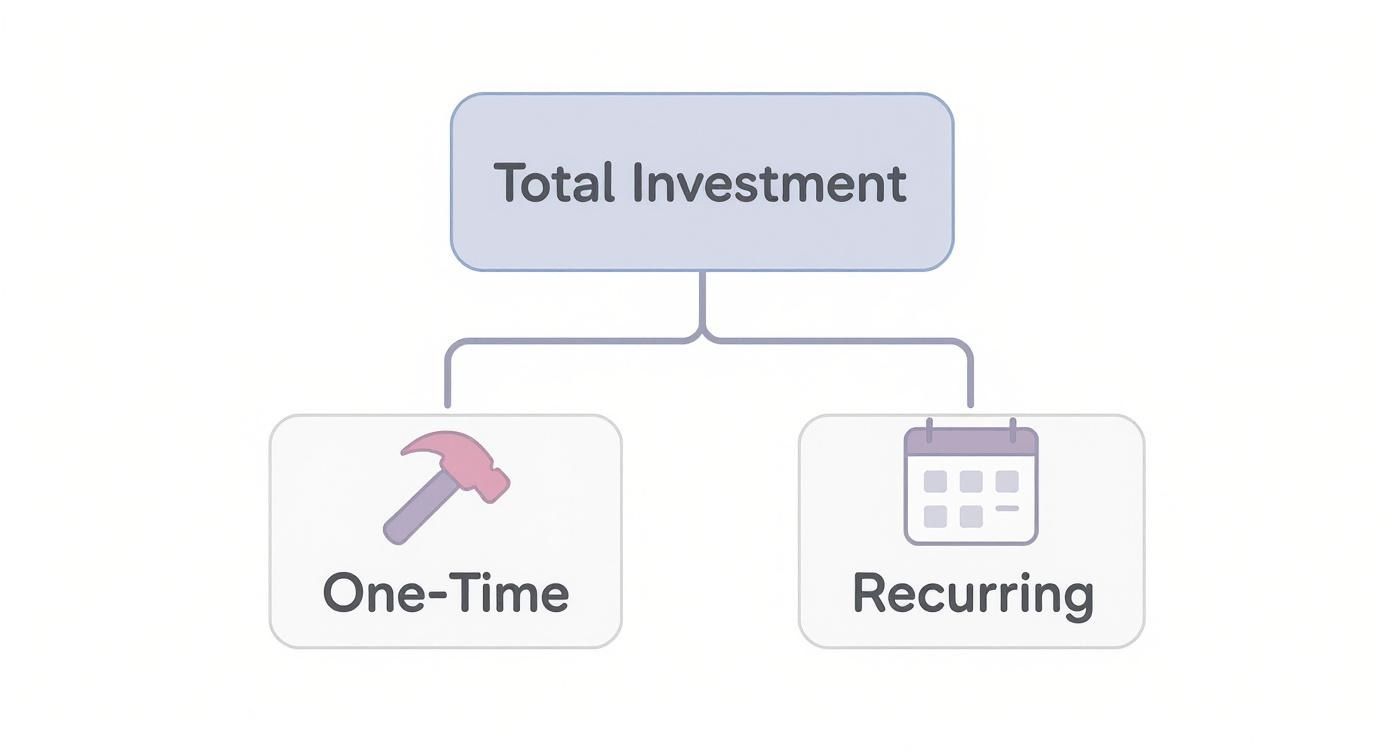
As you can see, your total investment splits into the initial build (the one-time stuff) and the ongoing expenses that keep it running smoothly (the recurring stuff).
Template vs. Custom Design
The first major fork in the road is your design approach: using a pre-made template or commissioning a fully custom design. This comparison is like buying a suit.
A template is the off-the-rack option. It’s affordable, looks good, and you can get it up and running fast. You can make some minor tweaks, but the fundamental structure is already set. The implication is that your site might look similar to competitors and may not be optimized for your specific customer journey.
A custom design is like getting a bespoke, tailored suit. It’s built from the ground up to fit your exact brand, your audience, and your unique business processes. This route involves deep strategy, user experience (UX) research, and one-of-a-kind visual elements, making your website a true business asset that no one else has.
- Template: The key benefit is lower upfront cost and a much faster launch. A practical example is a new coffee shop using a Squarespace template to get online in a weekend.
- Custom: The benefit is a unique, strategic design that perfectly matches your brand and can give you a serious competitive edge. For example, a law firm’s custom site might be designed to build trust and guide visitors to book a consultation.
A template site will always be cheaper to start, but a custom site is built specifically to solve your business challenges, which often leads to better performance and a much higher return over time.
Functionality and Special Features
The next big cost driver is what your website actually does. A simple, 5-page informational site for a local consultant is a completely different beast than a 100-product e-commerce store with advanced filtering and customer accounts.
Every special feature you add introduces another layer of complexity to the development process, and that directly bumps up the price. The actionable insight here is to prioritize features into “must-haves” for launch and “nice-to-haves” for a future phase.
A website’s features are like the options on a new car. A base model gets you from A to B, no problem. But if you want heated seats, a premium sound system, and satellite navigation, the price goes up. Each feature adds value, but it also adds to the total investment.
Here are a few common features that will increase your website cost:
- E-commerce Functionality: Adding a shopping cart, integrating payment gateways like Stripe or PayPal, and building out product and inventory management systems is a major undertaking.
- Booking and Scheduling Systems: A practical example is a yoga studio integrating a calendar for class sign-ups. This automates a manual process, saving staff time and improving customer convenience.
- Membership Portals: Creating a members-only section with protected content and subscription management adds significant complexity.
- Third-Party Integrations: Need your site to “talk” to other software you use, like a CRM, email platform, or accounting tool? That requires specialized development work.
To put this in perspective, some recent data shows just how wide the range can be. For 2024–2025, a professional small business website often averages between $2,000 and $9,000. But for larger corporate sites with up to 75 pages, that number can easily jump to $10,000 to $35,000. You can dig into more of these website statistics from Wix’s recent analysis.
The table below breaks down how some of these choices can swing your budget from one end of the spectrum to the other.
How Key Features Impact Your Website Budget
| Feature/Driver | Low-Cost Option (Example) | High-Cost Option (Example) | Cost Impact & Implication |
|---|---|---|---|
| Design | Pre-made template with logo/color swaps | Fully custom, brand-aligned design with UX research | Low to High: A template is fast and cheap; custom design is an investment in brand differentiation and conversion. |
| E-commerce | Simple “Buy Now” button linked to PayPal | Full-featured store with inventory, accounts, and filtering | Medium to Very High: Basic e-commerce is simple, but a full store requires significant investment in security and functionality. |
| Content | You provide all text and images | Agency provides professional copywriting and photography | Low to Medium: Professional content costs more but directly impacts SEO and your ability to persuade visitors. |
| Functionality | Standard contact form | Integrated booking system linked to a CRM | Low to High: Custom functions automate business processes, providing a long-term return by saving time and reducing errors. |
| Pages | 5-10 pages (Home, About, Services, Contact) | 25-50+ pages including a blog, case studies, and landing pages | Low to Medium: More pages mean more content creation and design work, but also more opportunities to rank in search engines. |
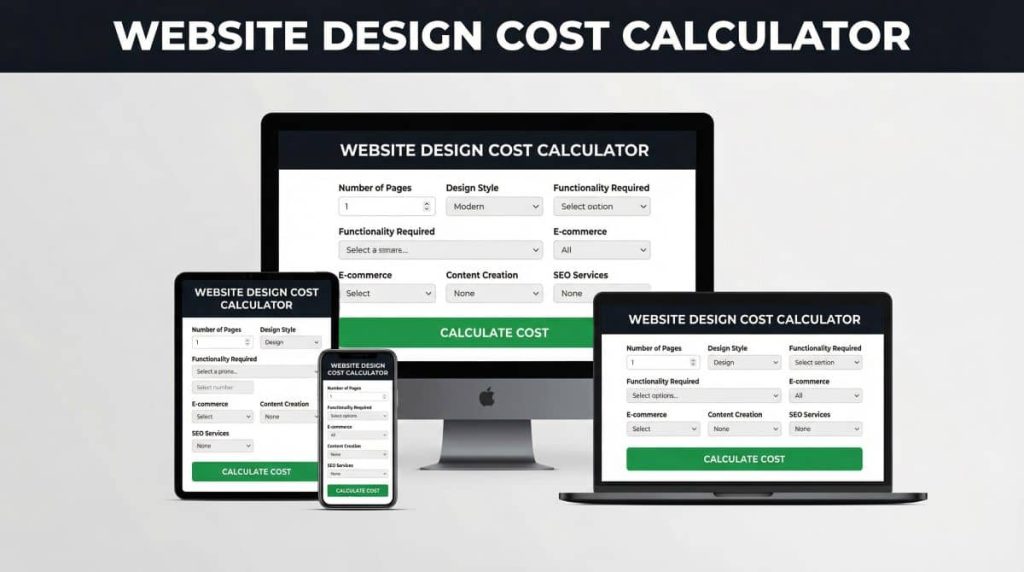
Ultimately, the more your website needs to do beyond just displaying information, the more you should plan to invest. By sorting your features into “must-haves” and “nice-to-haves,” you can make smart decisions that keep your project on budget while still hitting your most important business goals. Click here to try our free website design cost calculator.
Choosing Your Path: DIY vs. Freelancer vs. Agency

Once you’ve got a handle on the key cost drivers, your next major decision is who will actually build your website. This choice single-handedly has the biggest impact on your total small business website design cost, your time commitment, and the final quality of your digital storefront. You have three main paths, and each comes with its own set of pros and cons.
This is a key comparison: think of it like a home renovation. You could tackle the project yourself (DIY), hire a skilled carpenter for custom cabinets (a freelancer), or bring in a general contractor to manage the whole thing from blueprints to final inspection (an agency). The right choice boils down to your budget, your skills, and what you want the final product to achieve.
The DIY Route: Building It Yourself
The Do-It-Yourself path means using a website builder like Wix, Squarespace, or Shopify. These platforms are designed for beginners, offering drag-and-drop tools and all-in-one packages that bundle hosting, security, and support into one predictable monthly fee.
This is by far the cheapest option in terms of upfront cash. Its main benefit is full control and minimal cost. However, your main investment here is your time—and the implication is that this time is taken away from other core business activities. A practical example is a freelance photographer who spends 40 hours building their own portfolio site, time they could have spent marketing or on photoshoots.
- Lowest Upfront Cost: Expect to pay $15 to $50 per month for a standard site.
- Highest Time Investment: You’re on the hook for every single detail, from design tweaks to content creation.
- Best For: Brand new businesses on a shoestring budget, tech-savvy solopreneurs, or anyone who just needs a simple “digital business card” up and running quickly.
Hiring a Freelancer: The Middle Ground
Hiring a freelancer is an incredibly popular choice for business owners who want a professional result without the agency price tag. A freelancer is a solo expert—a designer, a developer, or a hybrid of both—who builds a custom site for you, usually on a flexible platform like WordPress.
This route offers a fantastic balance of cost and quality. The key benefit is access to specialized skills for a custom outcome. The biggest challenge? Finding the right person. Quality can vary dramatically, and the implication of relying on one person is they can become a bottleneck if they get sick or overbooked.
Hiring a freelancer is an investment in specialized skill. You’re paying for an expert’s craft to create a custom solution, saving you the time and steep learning curve of the DIY approach while keeping costs more contained than a full agency engagement.
A typical freelance project for a professional small business website runs anywhere from $2,000 to $8,000. It’s a significant step up from DIY, but you’re paying for real expertise and a much higher-quality, custom-built asset that can actually grow with your business.
Partnering with an Agency: The All-Inclusive Solution
Working with a web design agency is the premium, full-service option. An agency brings a dedicated team of specialists to the table—a project manager, strategist, designer, developer, and copywriter—who manage the entire process from the initial strategy session to the final launch.
This is the most expensive path, but its main benefit is a holistic, strategic approach. A good agency doesn’t just build a website; they develop a strategic tool designed to hit specific business goals, like generating qualified leads or boosting online sales. For a closer look at what this entails, our guide on web development for small businesses breaks it all down.
- Highest Upfront Cost: A custom, agency-built site typically starts at $10,000 and can easily climb past $35,000.
- Lowest Time Investment: The agency handles everything, freeing you up to focus on running your business.
- Best For: Established businesses with a serious budget, companies with complex technical needs, or anyone looking for a strategic, results-driven partner for long-term growth.
Ultimately, the best path forward is the one that lines up with your resources and goals. Be brutally honest about your budget, your technical comfort level, and what your own time is worth. That clarity will help you make a smart investment that pays off for years to come.
Uncovering Hidden Costs and Planning for the Future
Getting your new website live feels like a huge accomplishment—and it is! But it’s more like the starting line of a marathon, not the finish line. The initial build is the most obvious expense, but there are a handful of ongoing costs that can catch business owners by surprise if they aren’t planned for.
A practical insight is to create a “Total Cost of Ownership” budget. This includes the build plus at least two years of all recurring costs. This prevents the common mistake of launching a great site only to realize you can’t afford to maintain or market it effectively.
The Ongoing Costs of Staying in the Game
Your website isn’t a “set it and forget it” brochure. To get a real return on your investment, it needs regular attention to stay effective, secure, and most importantly, visible to the people who want to hire you. Forgetting to account for these costs is like leaving your shiny new vehicle parked in a garage—it looks nice, but it isn’t generating any business.
These aren’t optional add-ons; they’re essential for protecting your investment. They generally fall into a few key categories:
- Ongoing SEO and Marketing: A beautiful website is useless if no one can find it on Google. Search Engine Optimization (SEO) is the long-term work required to earn that visibility. This could mean creating blog content, local SEO efforts, or link building, which typically runs $500 to $2,500+ per month for a professional retainer.
- Software and Subscription Renewals: Many of the tools that make your site work—from premium contact forms and booking systems to e-commerce extensions—require annual license renewals to keep functioning. These can easily add another $200 to $500+ per year to your budget.
- Security and Maintenance Updates: The internet is a wild place, and hackers are always looking for weak spots. Regular security updates, malware scans, and backups are non-negotiable. A solid website care plan usually costs between $50 and $200 per month.
Planning for the Inevitable Redesign
Let’s be honest: no website design lasts forever. Technology moves forward, design trends evolve, and your own business goals will shift. On average, you should plan for a significant website redesign every 2 to 3 years to stay relevant and effective.
Sticking with an outdated site can make your brand look tired, hurt your search rankings, and create a frustrating experience for users—especially on mobile, where over 60% of online searches now happen. The implication of not redesigning is a gradual decline in traffic, leads, and brand perception.
Think of your website like your business’s storefront. After a few years, the paint starts to peel, the signage looks dated, and the layout no longer serves your customers well. A redesign is the full renovation that keeps your business looking sharp, modern, and ready to welcome new customers.
Building a future redesign into your long-term budget turns it from a sudden, massive expense into a predictable, strategic investment in your most important marketing asset.
According to 2025 data, the total annual cost for building and maintaining a small business website can range from $1,000 to $6,000. This wide range reflects the difference between a simple DIY site and a custom-built platform that requires more hands-on attention. You can find more details on how website costs are broken down at Bluehost.com. By planning for these ongoing needs and future rebuilds, you ensure your website remains a powerful engine for growth, not just a recurring bill.
Thinking Beyond Cost: Measuring Your Website’s ROI
It’s easy to get hung up on the small business website cost, but focusing only on the price tag is like judging a car by its sticker price without ever looking under the hood. A great website isn’t just an expense on a spreadsheet; it’s your hardest-working employee, a 24/7 sales tool designed to bring in real money.
The real key to making a smart investment is shifting your mindset from “cost” to “value.” The most actionable insight in this entire guide is this: define what success looks like before you build. Do you need 10 new leads a month? $5,000 in online sales? Knowing your goal makes measuring ROI simple.
The question isn’t just, “How much is this going to set me back?” It should be, “What will this website do for my business?” This is where Return on Investment (ROI) enters the picture. A website that costs $10,000 but generates $50,000 in new business within a year isn’t a cost—it’s a profit center.
Key Metrics That Define Your Website’s Value
To figure out your ROI, you need to track the right data. These numbers are what turn your website from a passive digital brochure into a measurable business asset. Don’t worry, you don’t need to be a data scientist. A few key metrics will tell you most of the story.
- Lead Generation: How many people are filling out your contact form, calling your business, or signing up for your newsletter each month? Every single one of those leads has a potential dollar value attached to it.
- Conversion Rate: This is a big one. What percentage of your website visitors actually take the action you want them to? This could be making a purchase, booking an appointment, or downloading a free guide. A high conversion rate means your site is doing its job—turning lookers into customers.
- Customer Lifetime Value (CLV): Think about the big picture. How much is one new customer worth to your business over the long haul? If your website brings in just one new long-term client worth $5,000 per year, it can pay for itself in a hurry.
A Simple ROI Calculation
Let’s break this down with a practical example. Imagine you run a local contracting business and invest $8,000 in a brand-new website designed to attract leads.
A well-designed website acts as a powerful lead-generation machine. By effectively capturing visitor interest and guiding them to act, it transforms your online presence from a passive expense into an active, revenue-driving asset.
In the first six months, your shiny new site brings in 50 qualified leads. You know from past experience that you close about 20% of these leads, which lands you 10 new jobs.
If the average profit from each job is $1,500, your website has generated $15,000 in profit.
The ROI is crystal clear: you spent $8,000 to make $15,000. That’s a fantastic return that justifies every penny of the initial investment.
To keep improving these numbers, it pays to focus on the fundamentals. Explore these practical website design tips for small business that are all about boosting conversions. By tracking these simple metrics, you can invest in your website with confidence, knowing it’s directly fueling your bottom line.
Frequently Asked Questions About Website Costs
Thinking about the financial side of a new website can feel a bit overwhelming, but you’re not alone. I get these same questions from business owners all the time. Let’s clear up a few of the most common ones so you can budget with confidence.
How Much Should I Budget for Website Maintenance Annually?
A good rule of thumb is to set aside 10% to 15% of the initial build cost for annual maintenance. So, if you invested $8,000 in your website, you should plan on roughly $800 to $1,200 per year to keep it in top shape.
Think of this as the ongoing tune-up for your most important digital asset. This recurring cost covers the critical stuff—software updates, security scans, backups, and performance checks—that prevents breakdowns and keeps your site running smoothly and securely for every visitor. The benefit is peace of mind and protecting your initial investment from security threats and obsolescence.
Can I Get a Professional Website for Under $1,000?
It’s tough, but not entirely impossible. The key difference at this price point is scope. You might find a freelancer who’s just starting out and building their portfolio, or someone willing to heavily customize a pre-made template for a lower price.
Just know what you’re trading for that lower price tag. The implication is that you’re almost always sacrificing the deep strategic thinking, custom user experience design, and thorough content planning that turns a website into a genuine business tool. It might look decent on the surface, but it likely won’t have the strategic foundation to actually generate leads and grow with you.
Why Is Custom Web Design So Expensive?
Custom web design costs more for the same reason a bespoke suit costs more than one off the rack—it’s crafted from the ground up, just for you. This key comparison highlights the difference between fitting your business into a template versus building a website around your business.
Here’s what you’re really paying for with a custom build:
- Deep Strategy: An agency will spend hours—sometimes days—just getting to know your business, your customers, and your goals before a single line of code is written or a pixel is placed.
- Unique UX/UI Design: The entire user experience (UX) and user interface (UI) are designed from scratch to guide your specific audience toward taking the actions you want them to take.
- Tailored Functionality: Every feature is built to solve your unique business problems, not just crammed into a pre-existing box.
A template forces you to fit your business into its structure. A custom design builds the structure around your business and its goals, which results in a far more effective and unique tool.
How Does the Project Timeline Affect the Total Cost?
The timeline has a huge impact on the final price. A standard project timeline, usually somewhere between 4-12 weeks, allows an agency to move methodically through strategy, design, feedback, and development without cutting corners.
But if you need it done yesterday? Expect to pay a premium. “Rush fees” can easily add 25% to 50% to the total project cost. The implication of a rushed timeline is that you pay more for the same product. That extra charge isn’t just for profit; it compensates the team for having to reshuffle their entire schedule, work late nights and weekends, and fast-track every single phase of the project, which introduces more complexity and risk.
Ready to build a website that delivers real results without the hidden fees? At Small Business Website Design, we specialize in creating high-converting, SEO-optimized websites with a transparent, fixed-price process. Get a clear quote and a powerful website that starts working for you from day one by visiting https://smallbusinesswebsite.net.