
For a small business, “web development” is just a technical term for creating an online presence that actually works. It’s about building a digital storefront that pulls in leads, builds trust, and acts as a strategic asset that works for you 24/7, turning curious visitors into paying customers.
Your Digital Storefront: Why a Website Is Your Best Salesperson
Think of your website as your hardest-working employee. It’s your #1 salesperson, clocking in around the clock, never taking a sick day, and always ready to make a great first impression. This is often the very first interaction a potential customer has with your brand.
A professionally built website does so much more than just list your phone number and address. It’s a powerful engine for growth that establishes instant credibility and opens you up to opportunities you’d otherwise miss.
In today’s market, customers vet businesses online long before they pick up the phone or walk through a door. A weak, outdated, or non-existent website isn’t just a missed opportunity—it’s a liability. A solid website levels the playing field, letting you compete with much larger companies by professionally showcasing what makes you unique.
Unlocking Real Business Benefits
When done right, a website delivers tangible, measurable returns. It becomes the central hub for all your marketing efforts, actively contributing to your bottom line. An actionable insight here is to view your website not as an expense, but as an investment in a revenue-generating asset.
Here are the key benefits and their direct implications for your business:
- Builds Instant Credibility: A clean, modern site that works flawlessly on a phone signals you’re a serious, trustworthy business. The implication is higher customer trust, leading to easier sales conversions.
- Generates Qualified Leads: Through clear contact forms, easy-to-use appointment schedulers, and obvious calls-to-action, your site can become a consistent source of new customer inquiries. For example, a plumber’s website with a “Request Emergency Service” button can capture a high-intent lead in minutes.
- Expands Your Market Reach: A website instantly makes your business accessible to customers outside your immediate neighborhood, unlocking entirely new revenue streams without the cost of a new physical location.
This idea is catching on fast. The explosive growth of the website builder market is a direct result of this shift, with 87% of small business owners now planning to build a site. This trend has fundamentally changed how small businesses get online. You can discover more insights about small business website trends and see how your plans stack up.
A website is no longer an optional line item on a budget; it’s a core business asset. It’s your digital storefront, your marketing engine, and your primary tool for building trust with customers you haven’t even met yet.
Defining Your Website’s Mission and Must-Have Features
Before you pick a color scheme or write a single line of code, we need to talk about the most important step: figuring out what your website is actually supposed to do.
Jumping straight into design without a clear mission is like building a house without a blueprint. It’s a recipe for wasted time, blown budgets, and a final product that doesn’t actually help your business. You wouldn’t build a retail store without knowing if you were selling clothes or coffee, right? The same logic applies here.
Your website has to have a primary job that directly supports your business goals. Is it a “digital business card” for a local plumber, built to generate phone calls and build trust with a gallery of completed work? Or is it a full-fledged e-commerce machine for a jewelry maker, designed to handle transactions and track inventory? Maybe it’s a lead generation tool for a consultant, focused on capturing emails with helpful guides and case studies. Each of these missions demands a completely different set of features.
Pinpointing Your Website’s Job
Getting this clarity upfront stops “scope creep”—that dreaded process where a simple project slowly balloons into a complex, expensive mess. It ensures every dollar you spend has a purpose. This is the foundation for every decision that comes next, from the platform you choose to the words you put on your homepage.
Here’s an actionable insight: Frame your website’s mission around a specific customer action. To nail down your site’s role, ask these three powerful questions:
- Who am I actually talking to? Are they busy homeowners needing an emergency repair, or B2B clients researching a major six-month project?
- What is the #1 action I want them to take? Should they call you? Fill out a form? Buy something? Book an appointment? Be specific.
- What information do they need to feel confident taking that action? This could be pricing, testimonials, case studies, or clear service descriptions.
Answering these questions honestly helps you separate the “must-haves” from the “nice-to-haves.” You might realize an online scheduling tool is non-negotiable, while a blog can wait until phase two. This is the strategic thinking that separates a website that just looks pretty from one that actively makes you money.
This initial decision-making process can feel overwhelming, but it often boils down to a few key choices right at the start.
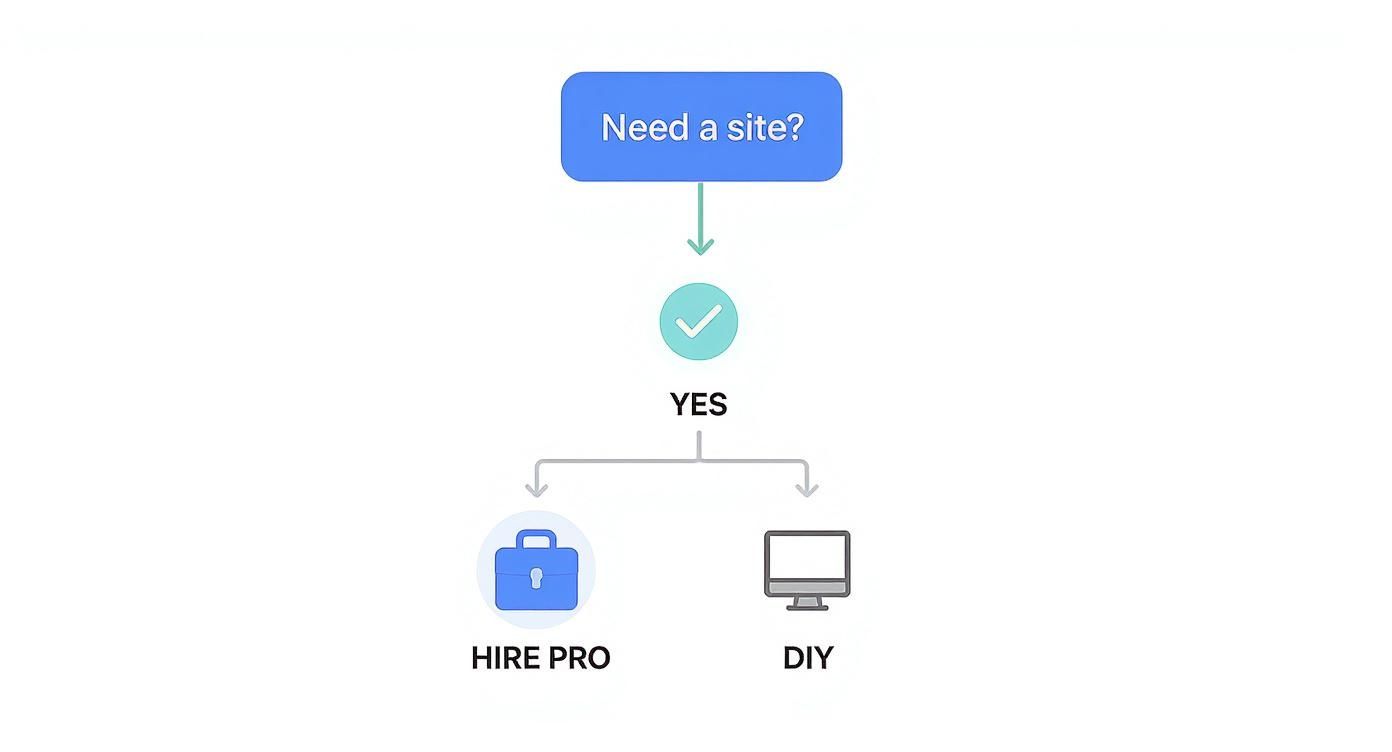
As you can see, that very first decision—whether to hire a pro or go the DIY route—sets the entire tone and trajectory for your project.
Choosing Your Small Business Website Type
Once you know your mission, you can identify the type of website you need. This is crucial because a simple “brochure” site and a full e-commerce store have wildly different implications for your budget, timeline, and ongoing maintenance.
This key comparison table provides actionable insights to help you choose the right path.
| Website Type | Primary Goal | Essential Features | Practical Example |
|---|---|---|---|
| Brochure Site | Build credibility and generate direct contact | Services page, photo gallery, testimonials, prominent contact info, mobile-friendly | A local landscaping company showcasing past projects and a clear “Get a Free Estimate” form. |
| Lead Gen Site | Capture visitor information for follow-up | Gated content (guides, checklists), contact forms, case studies, clear CTAs | A financial advisor offering a free “Retirement Planning Checklist” in exchange for an email address. |
| E-commerce | Sell products directly online | Product pages, shopping cart, secure checkout, inventory management, customer accounts | An artisan selling handmade pottery with high-quality product photos and a seamless checkout process. |
Thinking in these categories helps you focus on the features that matter most and avoid paying for functionality you’ll never use. A local contractor’s success hinges on a prominent phone number and a gallery of their work. An online boutique lives and dies by its product photos and a smooth, secure checkout process.
Your website’s mission dictates its features. A plumber needs a “Call Now” button that’s unmissable on a phone, while a boutique needs a seamless checkout process. Don’t pay for features that don’t directly support your primary business objective.
Choosing Your Platform: DIY Builders vs. Custom Development
This is the classic fork in the road for small business owners. Do you roll up your sleeves with a user-friendly DIY platform, or do you invest in a custom-built website with unlimited potential? There’s no single right answer—it all comes down to your budget, your timeline, and where you see your business in a few years.
DIY website builders like Wix, Squarespace, and Shopify have completely changed the game. They make it possible for just about anyone to create a decent-looking site using drag-and-drop tools. The biggest benefit? Speed and low initial cost. You can get something online over a weekend for a small monthly fee, which is a huge win for a startup or any business watching its cash flow.
But that convenience comes with trade-offs. You’re essentially renting space in their ecosystem, which means you play by their rules. This can be limiting when it comes to design, features, and how your site can grow. They’re great for standard needs, but you can hit a ceiling fast if you need something unique.
Comparing Your Options
Let’s get practical with a key comparison of the differences. The implications of this choice affect control, ownership, and the future-proofing of your investment.
DIY builders are famous for their visual, what-you-see-is-what-you-get editors.
That kind of intuitive interface is a massive selling point. But custom development offers something fundamentally different.
| Feature | DIY Website Builders (e.g., Squarespace, Wix) | Custom Development (e.g., WordPress) | The Implication for You |
|---|---|---|---|
| Upfront Cost | Low monthly subscription fee ($16-$50/month) | Higher initial investment ($1,000-$15,000+) | Your choice depends on your current cash flow versus long-term value. |
| Ease of Use | Very high; built for non-techies with no coding. | Moderate to high learning curve; needs expertise. | DIY saves you time initially, while custom saves you headaches on complex tasks later. |
| Flexibility | Limited to the platform’s templates and approved apps. | Nearly limitless; can be coded to do anything. | A custom site can be molded to your exact business process; a DIY site requires you to adapt. |
| Scalability | Good for simple needs but can be outgrown. | Excellent; can grow and evolve with your business. | A custom site is a long-term asset; a DIY site might need to be replaced as you grow. |
| Ownership | You rent the platform. You’re subject to their rules. | You own all your website files and have 100% control. | Ownership gives you the freedom to move your site to any host and modify it without restriction. |
Making the Right Call for Your Business
The best choice is the one that fits your specific business. A practical example: a local coffee shop just needs a simple, beautiful site to show its menu, hours, and location. For them, a Squarespace site is a perfect, cost-effective benefit.
On the other hand, a B2B consulting firm that wants to build a custom client portal and integrate it with their specific CRM software would hit a wall with a DIY builder. For that business, investing in custom web development for small businesses using a flexible platform like WordPress isn’t just a cost—it’s a strategic move. The bigger upfront investment buys them the long-term flexibility to build a tool that works exactly how their business operates.
If you’re leaning that way, talking to a professional small business website design service can help you see what’s truly possible.
Here’s a good way to think about it: A DIY builder is like leasing a furnished apartment. It’s move-in ready, but you can’t knock down walls. Custom development is like building your own house. It’s a bigger project, but the final result is built precisely for you.
Designing for Customers, Not Just for Looks
A stunning website that’s a pain to use is like a gorgeous storefront with a locked door. It looks great from the street, but it’s completely useless. I see it all the time: small businesses pour money into a design that wins awards but loses customers.
The real goal of web development for small businesses is to shift your focus from simply looking good to being incredibly easy to use and profitable. This is the heart of User Experience (UX) design.
Think of UX as digital hospitality. It’s about anticipating what your visitors need and making it dead simple for them to find it—whether that’s your phone number, your service list, or that all-important “Buy Now” button. The benefit of good UX is it builds trust and makes people feel understood, which is the first step toward earning their business.

This customer-first mindset is non-negotiable, especially on mobile. Let’s be real: your website will get more traffic from phones than from desktops. That reality demands a mobile-first approach. This means you design for the smallest screen first and then expand the layout for bigger ones, ensuring the core experience is solid for everyone.
Making Your Site Effortless to Use
Intuitive design isn’t a luxury; it’s a basic requirement for keeping people on your site. If a potential customer can’t figure out how to find what they need in a few seconds, they’re gone. And they’re not coming back.
Here are a few actionable insights for practical UX:
- Simple Navigation: Keep your main menu painfully obvious. Stick to clear, common labels like “Services,” “About Us,” and “Contact.” Now is not the time to get clever with industry jargon or vague terms that make people guess.
- Clear Calls-to-Action (CTAs): Every single page on your site needs a job to do. Guide users with unmissable buttons like “Get a Free Quote” or “Book an Appointment.” Make them pop with a contrasting color so there’s no question what you want them to do next.
- Fast Page Speed: Online, patience is measured in milliseconds. A slow-loading site is one of the biggest reasons visitors bail. You can make huge improvements just by optimizing your image sizes and investing in decent hosting. It’s not glamorous, but it works.
The data on this is crystal clear. Research shows that 88% of online consumers are less likely to return to a website after a bad experience. Even worse, every one-second delay in mobile page load time can slash conversions by a staggering 20%.
From Pretty to Profitable: A Practical Comparison
Let’s look at two hypothetical local bakery websites. This key comparison highlights the difference between a design-first and a customer-first approach, showing the business implications.
| Feature | Website A (Looks Pretty) | Website B (Works Profitably) |
|---|---|---|
| Homepage | A full-screen, artistic photo of a single croissant. | A clear headline (“Freshly Baked Bread & Pastries”), hours, address, and a big “Order Online” button. |
| Navigation | Uses cute icons instead of words (a rolling pin for “Menu,” a map pin for “Location”). | Simple text labels: “Menu,” “Catering,” “Locations,” “Contact Us.” |
| Mobile View | The beautiful photos are slow to load, and the text is tiny and hard to read. | The “Order Online” button is right at the top and easy to tap, with a simplified menu. |
Website A might get featured on a design blog, but Website B is the one that actually sells more bread. It instantly answers the questions every visitor has and makes it frictionless to place an order. For more practical ideas, check out these essential website design tips for small businesses that focus squarely on getting results.
Your goal isn’t to impress visitors; it’s to guide them. A truly great website isn’t just one that looks good—it’s one that makes it incredibly easy for a customer to solve their problem and for you to make a sale.
Getting Found with Smart SEO and Content
Let’s be honest. You can have the most beautiful, functional website in the world, but it’s completely useless if your customers can never find it. Building the site is just the first step; making sure it actually shows up in search results is how you turn that investment into a real growth engine for your business.
This is where Search Engine Optimization (SEO) comes in.
Forget the confusing algorithms and technical jargon for a moment. At its core, SEO for a small business is simply the process of making your website the best and most relevant answer when a local customer searches for something you offer. It’s all about showing up at the exact moment someone in your area is looking for your services.
That’s why a smart SEO and content strategy isn’t an “add-on” you tack on later. It has to be baked into the web development for small businesses from the very beginning.
On-Page SEO: The Digital Essentials
On-page SEO refers to all the optimizations you make directly on your website to tell search engines what your business is all about. Think of these as the fundamental signals that help Google understand what to rank you for.
It’s just like running a physical store. You’d have clear signs pointing customers to the aisles they need. On-page SEO does the same thing for search engines and your online visitors.
Here are the non-negotiable basics every small business site needs:
- Keyword-Rich Page Titles: Your page titles are the first thing people see in Google. Make them count! A title like “Emergency Plumbing Services in Springfield” is infinitely better than just “Services.”
- Descriptive Service Pages: You need a separate, dedicated page for each core service you offer. This gives you the space to go into detail and target the specific phrases real customers are searching for.
- Clear and Relevant Content: First and foremost, write for humans. Think about the words and phrases your customers would actually use to describe their problems, and weave them into your copy naturally.
Winning with Local SEO
For the vast majority of small businesses, local customers are the lifeblood. Local SEO is a specific set of practices designed to boost your visibility in local search results—and a huge part of this happens off your website.
Your Google Business Profile (GBP) is arguably your single most important local SEO asset. This is the information box that pops up on Google Maps and in search results, showing your address, hours, photos, and reviews. Claiming and meticulously filling out this profile is a critical first move.
Your local online presence is built on consistency and trust. Inconsistent business information across different websites erodes that trust with both search engines and potential customers, hurting your visibility.
Beyond your GBP, here are two actionable insights to lock in:
- Consistent NAP Information: Make sure your Name, Address, and Phone number (NAP) are listed identically across all online directories and citation sites like Yelp or Angie’s List. Even a tiny variation like “St.” vs. “Street” can create confusion for search engines.
- Encouraging Customer Reviews: Positive reviews are powerful social proof. They build credibility with potential customers and directly impact your local search ranking. Don’t be shy—actively and ethically ask your happy customers to leave you a review on Google.
SEO isn’t a one-time task; it’s an ongoing effort. For businesses that need dedicated help to get ahead of the competition, exploring small business SEO services can provide the expert horsepower needed.
Getting these fundamentals right ensures your digital storefront is visible to the people who matter most: local customers who are ready to buy.
Launching Your Site and Measuring Its Success
Popping the champagne when your site goes live is a great feeling, but it’s not the finish line—it’s the starting gun. I’ve seen too many business owners treat their launch day as the end of the project, when in reality, it’s the beginning of the most important phase: turning that shiny new site into a genuine business asset. This is where you pivot from building to growing.
Before you flip that switch, there’s one last crucial step: a final, nit-picky pre-launch check. This isn’t the time for big changes. It’s about catching those small, facepalm-worthy mistakes that can instantly kill a visitor’s trust. Do all the links actually go somewhere? Does your contact form land in your inbox, not a spam folder? How does it really look on your phone? A simple, thorough checklist prevents these embarrassing and costly blunders.
Protecting Your Investment with Ongoing Care
Once your website is out in the wild, it needs consistent attention to stay healthy, secure, and effective. Think of it like a car. You wouldn’t buy a new delivery van and then refuse to change the oil or rotate the tires. Your website’s software—the platform, theme, and plugins—all require regular updates to patch security holes and fix bugs. Ignoring this is like leaving the backdoor to your digital shop wide open.
A solid maintenance plan isn’t optional; it’s essential. At a minimum, it should cover:
- Regular Backups: Your site should be backed up automatically and often. If something ever breaks—and things do break—a recent backup is your get-out-of-jail-free card.
- Security Scanning: You need proactive monitoring to spot and block malicious attacks before they can do any damage to your site or, worse, your reputation.
- Software Updates: Keeping your Content Management System (CMS) and all its add-ons updated is your absolute best defense against hackers.
I tell every client the same thing: launching a site without a maintenance plan is like buying a new car and never taking it for service. It’s not a matter of if it will break down, but when—and the emergency repair will cost way more than routine upkeep.
Measuring What Actually Matters
You don’t need a PhD in data science to figure out if your website is pulling its weight. With free and powerful tools like Google Analytics, you can zero in on a handful of metrics that tell the real story of your return on investment.
Forget getting bogged down in vanity metrics like page views or time on site. The only number that truly matters is conversions.
What’s a conversion? It’s the primary action you want a visitor to take. A practical example for a local plumber is someone filling out the “Request a Quote” form or calling the number on the site. For an e-commerce store, it’s a completed sale. Simple as that.
Tracking these specific actions shows you, in black and white, how your website contributes directly to your bottom line. This data is pure gold. It allows you to make smart, evidence-based decisions to improve your site’s performance over time, ensuring your investment in web development for small businesses continues to pay for itself for years to come.
Common Questions About Building a Website
Let’s cut right to the chase. Here are the questions I hear most often from small business owners trying to figure out their website project.
How Much Should a Small Business Website Cost?
This is the big one, and the honest answer is: it depends. The cost can swing wildly based on what you actually need the site to do.
If you’re just starting out and need a simple online brochure, a DIY builder like Squarespace or Wix might run you $20 to $60 per month. It’s a great way to get your foot in the door.
For a more professional, customized site built on a platform like WordPress, you’re typically looking at an initial investment of $3,000 to $5,000. That price can climb if you need features like e-commerce, booking systems, or other special integrations.
How Long Does It Take to Build a Website?
Just like cost, the timeline is all about the scope of the project. You could probably throw a basic DIY site together over a weekend if you’re determined.
A professional, custom-built website, however, is a more involved process. A realistic timeline is anywhere from 2 to 6 weeks from our first conversation to the day we go live. This assumes everyone is on the ball and you’re able to provide feedback and content when it’s needed.
Remember, a website is an investment, not just an expense. The right approach balances your immediate budget with your long-term growth goals, ensuring the platform can scale with your business instead of holding it back.
Ready to build a website that works as hard as you do? Small Business Website Design Agency creates clean, mobile-friendly sites that earn trust and get found on Google. Get a clear, fixed-price quote and see how we can help your business grow.